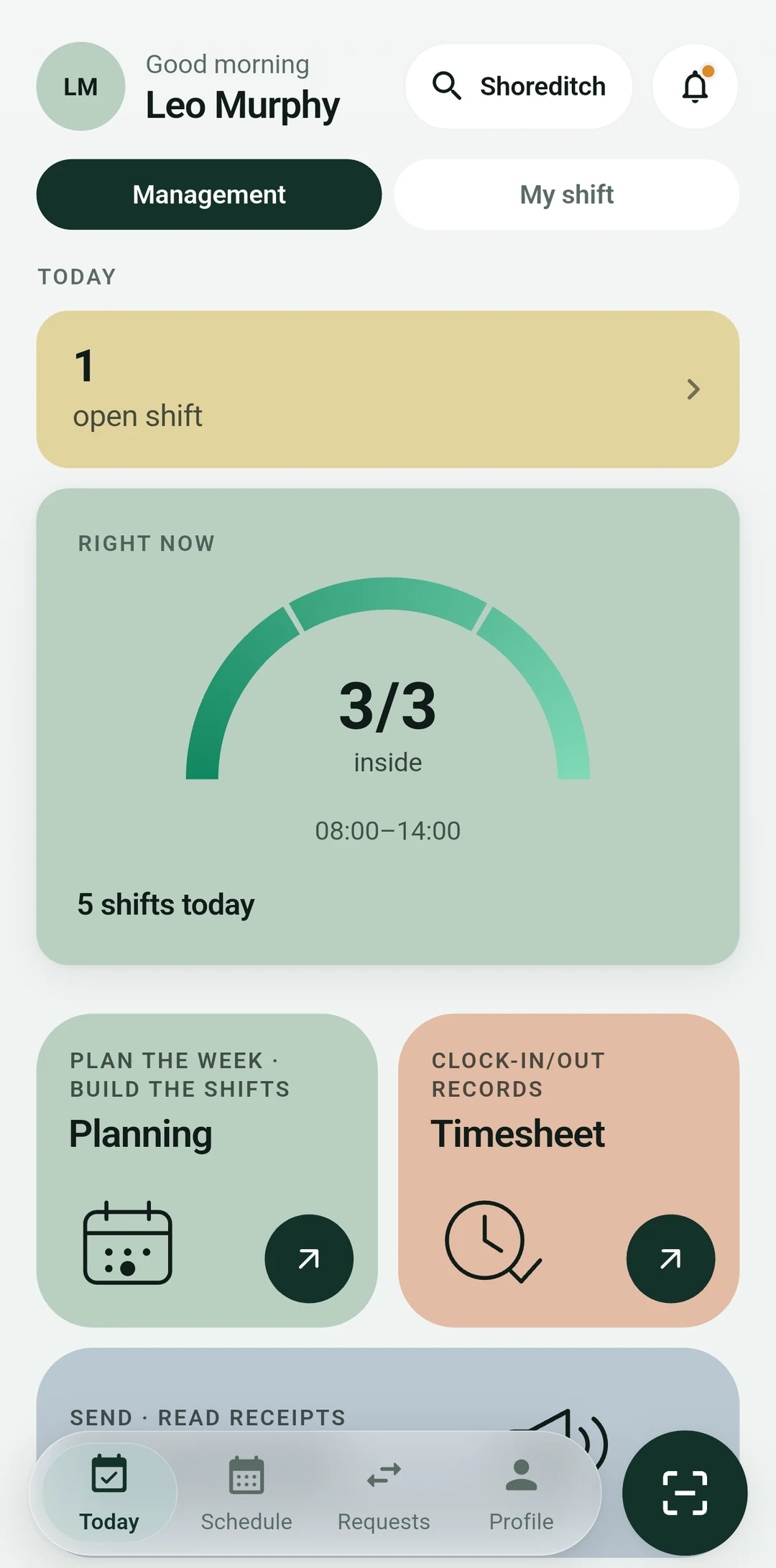
Who is in, at a glance
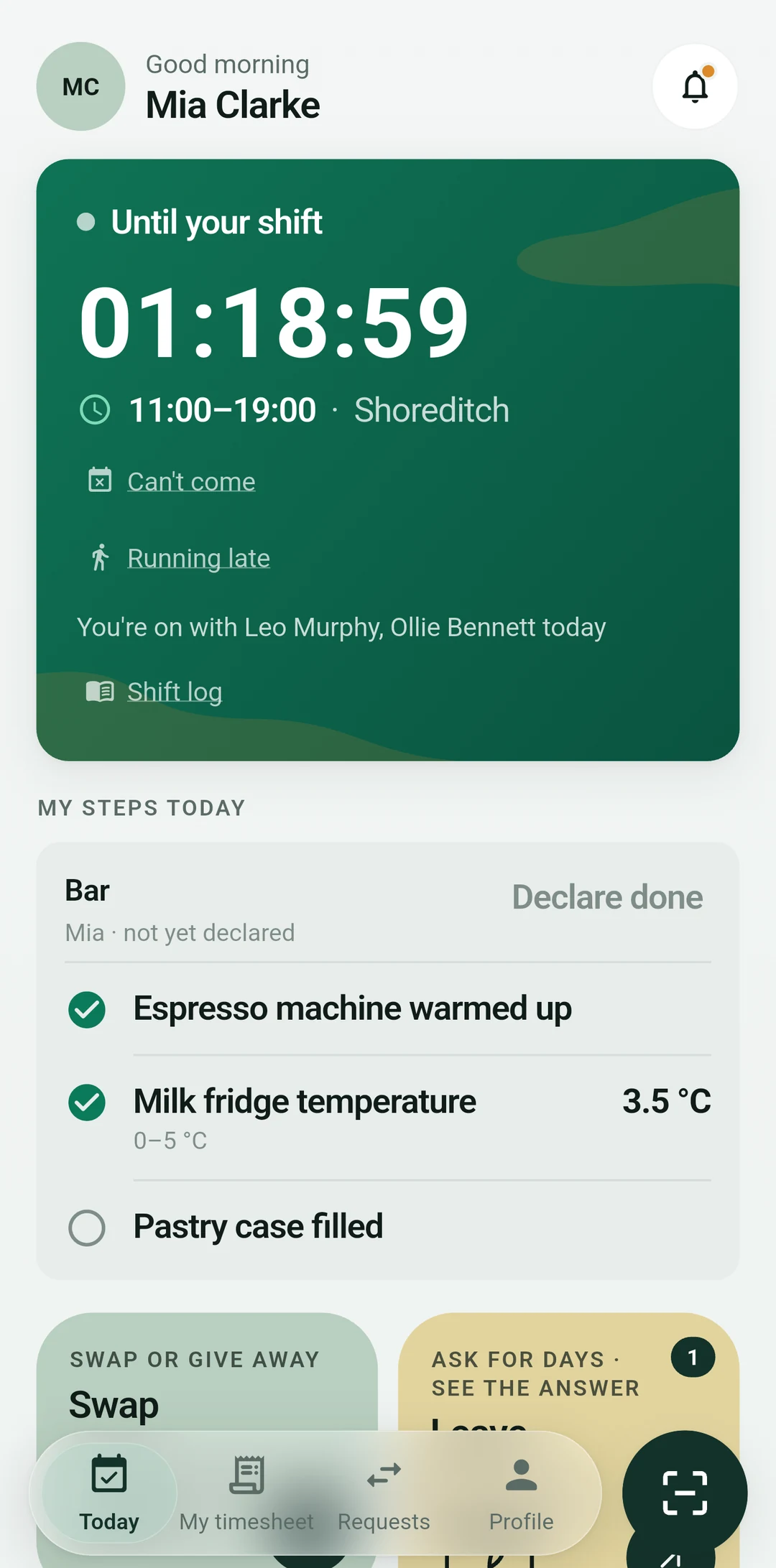
How many were expected, how many came, who is on break. On the phone's first screen, every morning.
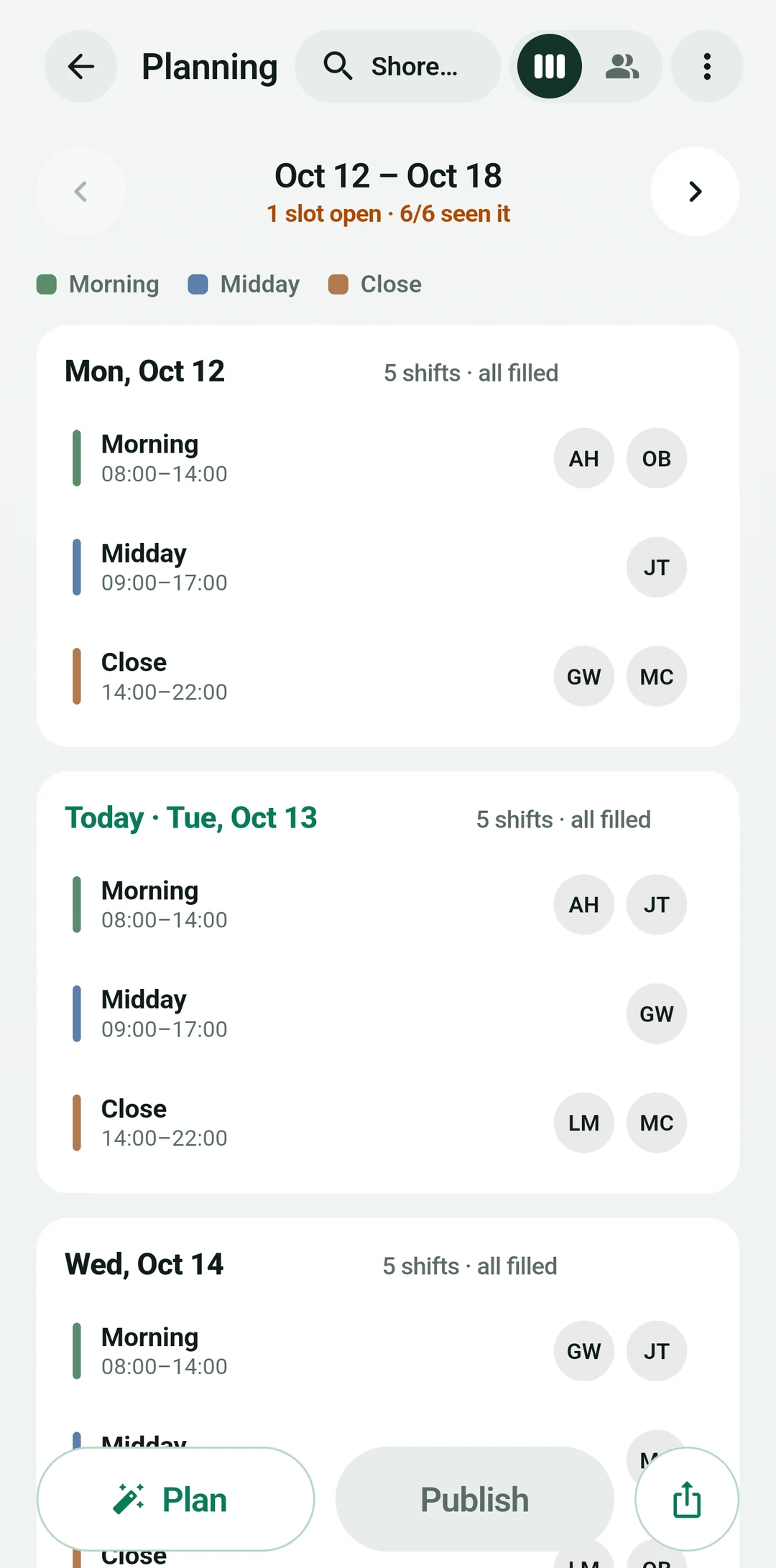
Build the week in five minutes, let the team scan the tag at the door. Hours ready at month end, the till closed the same night.
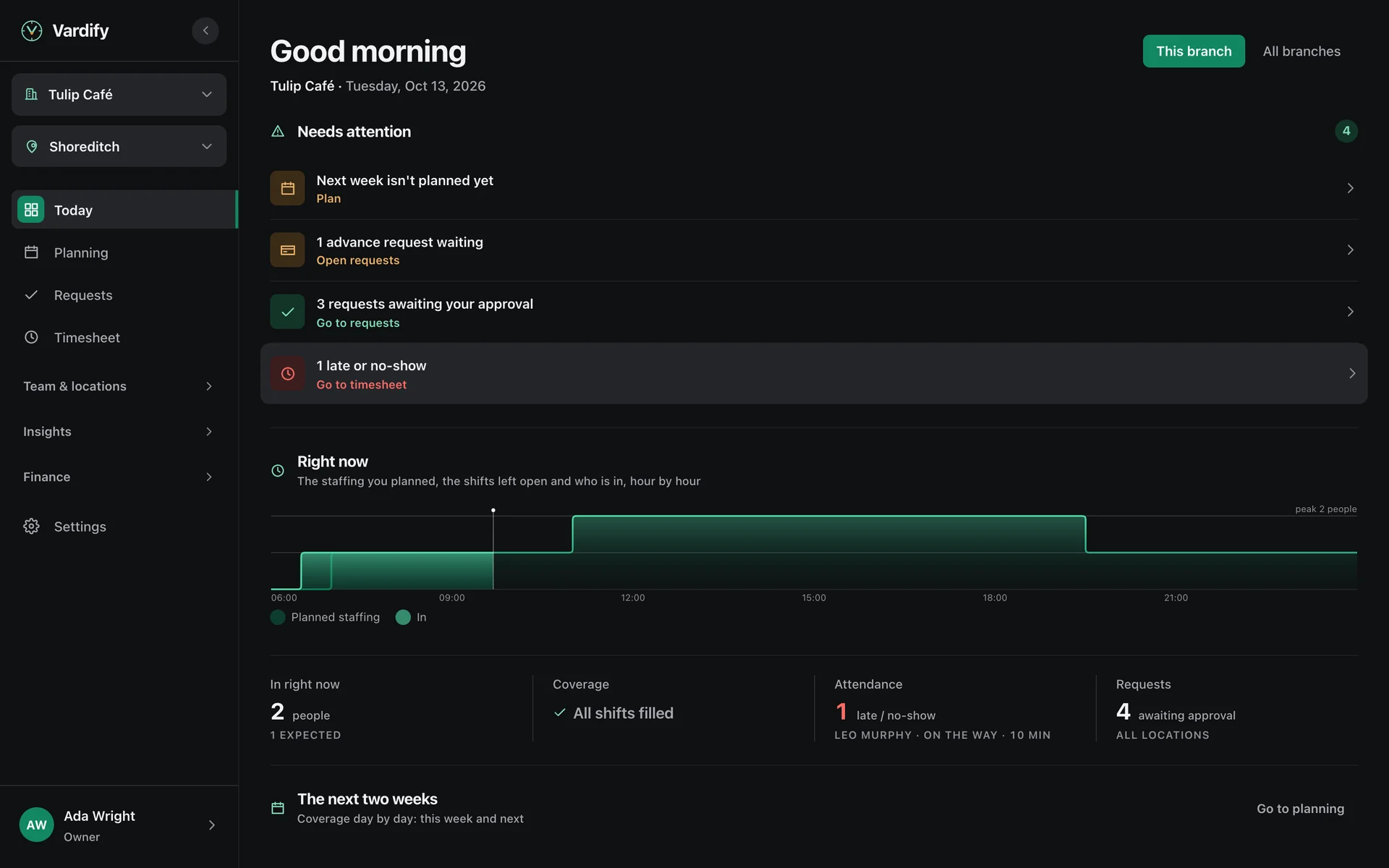
From setup to month-end payroll: the team marks it on their phones, you plan from the panel, QR at the door, a list at day end. Every frame is the product.
The six arguments a shift starts most often, and the record that ends each one.
I was here at eight.
08:04The scan comes from the branch's own network, with that moment's time. The manager sees who is in on the Today screen.
Nobody counted my break.
13:20Breaks are written to the minute. My Timesheet shows hours with and without breaks, separately.
My overtime was never worked out.
17:45The weekly cap comes from the country's law and is measured on the server. Anything above it sits on the line as overtime.
Who has Friday, then?
21:10Whoever accepts first takes the shift, and the manager learns at once. If the deadline passes, the system closes it and tells everyone.
Nobody answered my leave.
09:32A request is stamped with the time and waits in the approval box. If the answer is late, it goes up to the owner.
Is the till shortfall on me?
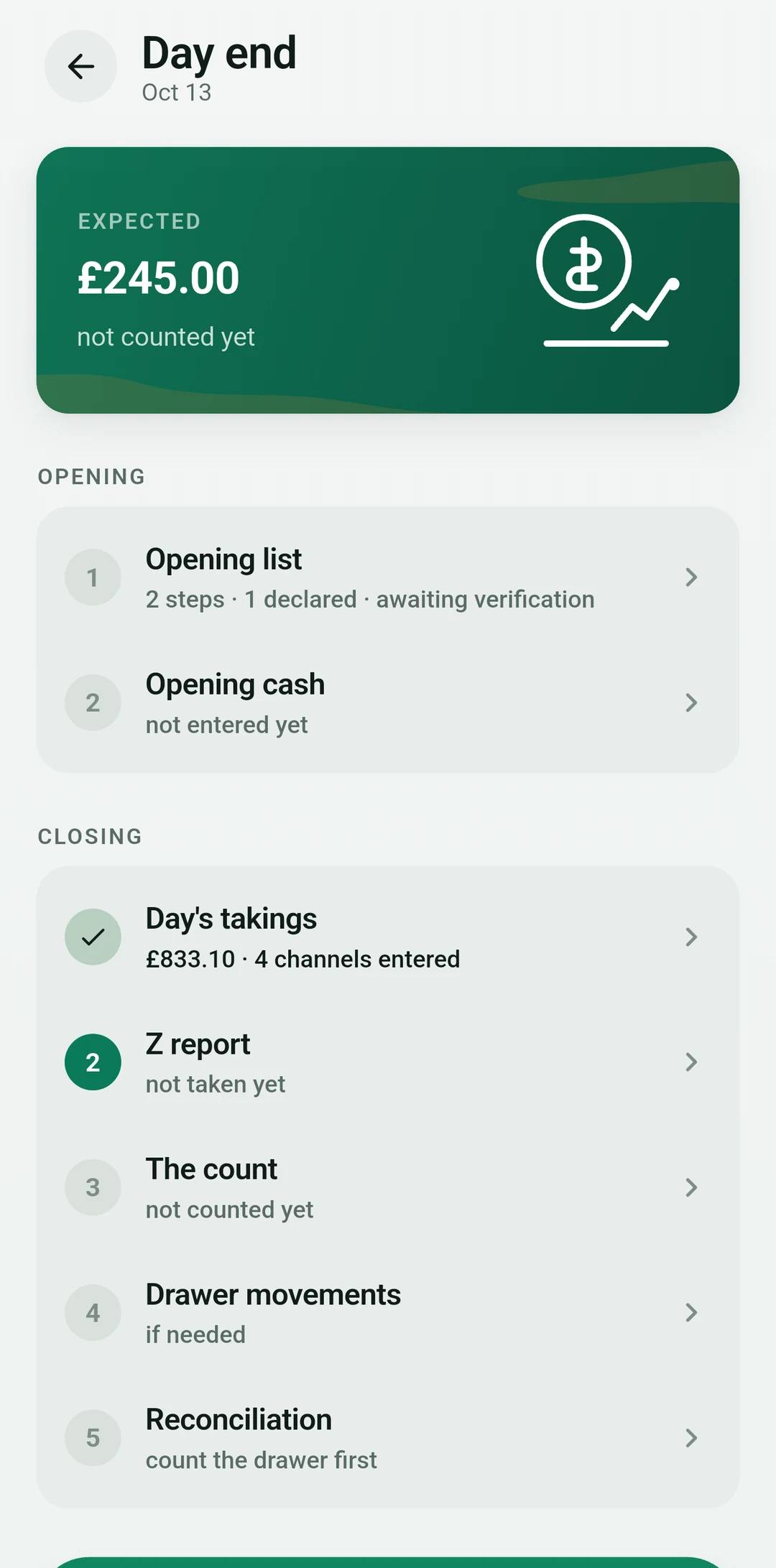
23:15At day end, cash, the Z slip and card channels are reconciled separately. A difference is written to the day, not to a person; who counted what stays on record.
How many were expected, how many came, who is on break. On the phone's first screen, every morning.
See every branch's today side by side. Advances, leave and timesheets belong to the person; they are not split by branch.
Sales, the Z report, the count and card channels are reconciled that evening. If there is a difference, the day does not close until it is explained.
One account, one business. Set it up from the phone in the kitchen or from the computer at the desk. Your team only needs the app.
Pick the sector, add branches and the team, publish the week, close the day. The week's grid and the reports on a big screen; the same work on the phone too.
Joins with a code. Sees their shifts, breaks and hours; asks for leave, an advance or a swap.
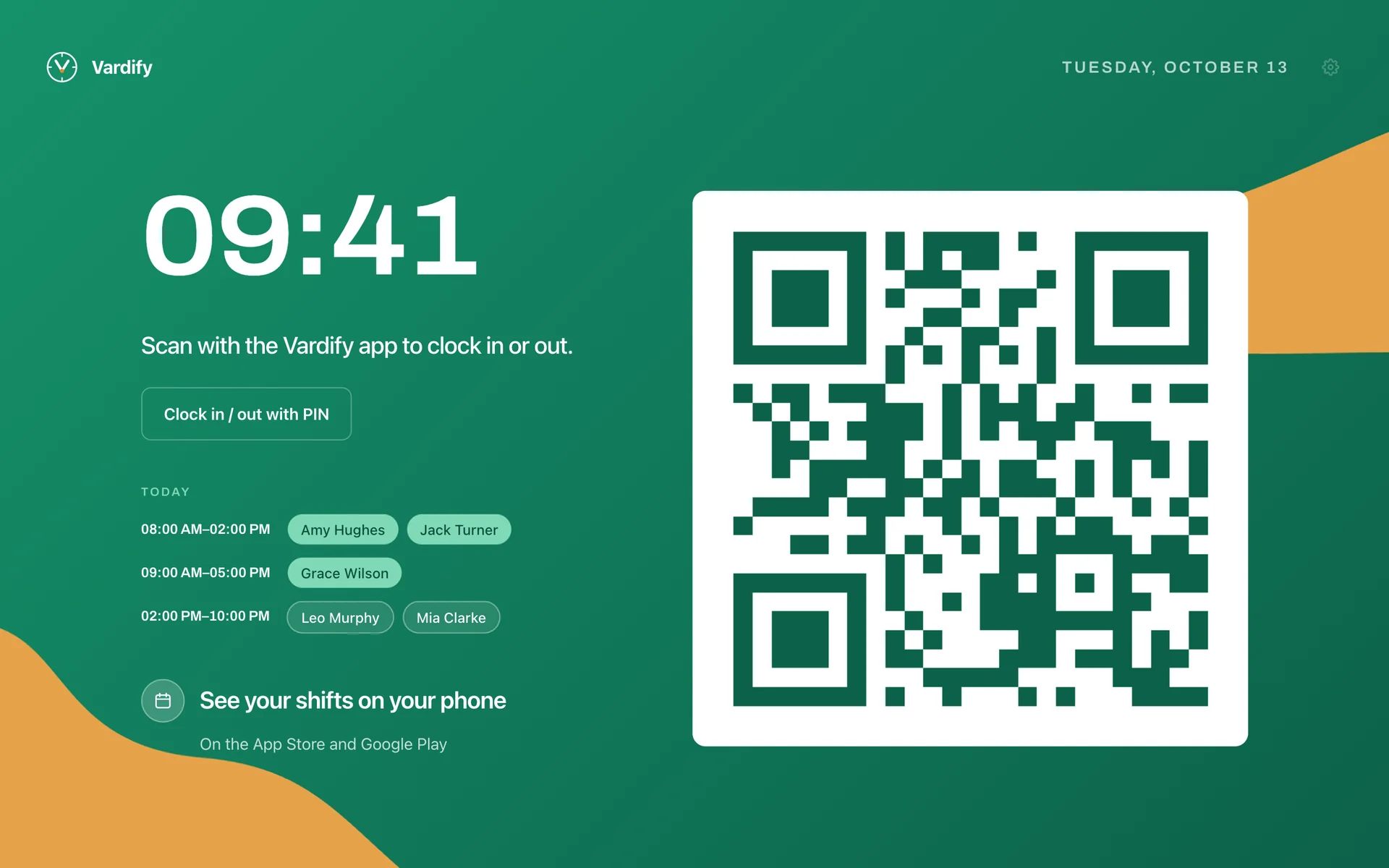
The tablet you already have, or an old phone, becomes the kiosk. It shows the rotating QR, takes PIN clock-ins and lists who came in today. Nothing to install; kiosk.vardify.com and a pairing code are enough.
Setup, hardware, country and language. The four places you expect to get stuck come ready.
Pick your sector; the bands, positions, skills and checklists come with it. You publish the first week the same day.
Stick an NFC tag on the door or hang a QR. The scan goes through the branch's network; a photo of the tag is no use from home.
You pick the country; the weekly cap, the holiday calendar, the currency and the payroll arithmetic follow. 16 countries ready.
Six languages. The app opens in the phone's language; in Arabic the text direction turns too.
You pick the country; the weekly cap, the holiday calendar, the currency and the payroll arithmetic follow. 16 countries ready.
Availability is collected, the rules are applied, the draft arrives on its own. You only approve; if you like, you leave that to the system too.
The sector brings the bands, the positions and the break pattern. Weekly cap, rest, skills, fairness and the contract pattern are the rules; you decide which may bend.
A weekly or monthly cycle, by sector. Reminded until the last day; a person marks only the days they cannot work, the contract pattern says the rest.
Sales and past weeks show how many people each hour needs. The manager sees the number instead of writing from memory.
The draft is ready days before the week starts. A band that cannot be filled stays open and says why; the alternatives sit side by side.
A week that clears the coverage threshold publishes itself if you want. Everyone gets their own week as a notification; a band left empty goes to the team as an open shift.
A shift is never left to a chat. Who cannot come, who takes it, when it closes; all three on the phone, all three on record.
With time to spare, the request goes straight to eligible colleagues. Close to the shift there is a last-minute door, and the manager hears from the first moment.
The threshold is yours: 24 hours far, 12 hours near.
The shift lands with everyone whose skill and availability fit. The first to accept takes it; the rest are told it is closed.
One person takes it; no double booking.
Two people trade shifts. The weekly cap and the rest rule are measured again for both; the manager approves.
A swap that breaks a rule is never offered.
The sector is not a label, it is the most important setting. Bands, positions, skills, the planning cycle and the opening and closing checklists come with it; you only type the names.
07:00–15:30 · 11:00–19:30 · 15:30–00:00
Barista, waiter, cashier, cook, busser, dishwasher. 8½ hours gross, 1 hour of break: on Türkiye's six-day week that is exactly the 45-hour cap; elsewhere the country's cap applies. Hygiene and opening/closing skills.
09:00–17:00 · 13:00–21:00 · 10:00–19:00
Sales, till, stockroom, aisle, store manager. Opening and closing bands set to mall hours; returns and stock-count skills.
04:00–12:00 dawn · 07:00–15:00 · 13:00–21:00
The production shift is over before the counter opens; dough, oven, pastry, decoration, packing skills. Oven temperature sits on the checklist as a measurement.
Morning · Midday · Closing · Weekend
Cashier, shelves, goods-in, cold chain. Counting and receiving skills; the daily till and Z-slip flow is the same.
Evening · Night · Closing
Bands that cross midnight, a day-end till that closes at night; tips are paid to people, not counted as revenue.
Morning · Evening · Night · 24/7
Reception, housekeeping, service. Night band and 24/7 coverage ready.
Bands around appointment hours
Hairdresser, beautician, reception. Bands follow appointment hours; availability is weekly.
Outpatient · On call · Weekend
On-call bands, nurse and pharmacist positions, measurement items like the medicine fridge on the closing list.
Your own bands
If the sector is not listed, "Other": it starts with customer service, till, stock and opening/closing skills; you change everything later.
The eight things you look for when comparing, on one page.
The 45-hour week, 270 hours of overtime a year, the 7.5-hour night, the weekly rest day and make-up work are the planner's rules. A week that breaks one is told before it is published.
A two-minute clock-in and out, a record that matches the plan to the second, a change of device. It sits on the line with a flag; the manager looks and decides.
Before the period closes, everyone sees their own hours on the phone; they approve or object. Payroll gets an answer, not an argument.
The published week becomes a picture with one tap. You share it in the group with those who do not have the app too.
The tablet on the till, or an old phone, becomes the kiosk. Someone without a smartphone clocks in with a four-digit PIN; who came in today is there too.
Upload the list you have as .xlsx or .csv, match the columns. Forty people are in within a minute.
When the period closes, the file comes out in the format your accountant's program expects. If you gave their e-mail, the link goes to them.
Weekly labour per branch and its share of sales. A week that will go over budget warns you before it is published.
The packages follow how deep the operation goes. Each price includes the first branch and a set number of people for the whole business; every further branch is a fixed monthly add-on, more people are added at a small price per person, nobody is turned away. Every business starts with 30 days free, no card asked.
A single place run by its owner. Build the week, let the team scan, let the timesheet write itself.
A place with a manager that closes the day. Automatic planning and the day-end till start here.
A place that sees the busy hours coming. Demand forecasting sets the staffing; you write your own rules.
Free for good for one branch, 5 people and one manager: the weekly shift plan, QR/NFC clock-in and the Today screen. Leave, timesheets and payroll from Starter up.
Start freeEvery plan includes everything in the one before. A mark means the plan opens it.
| Free | Starter | Standard | Pro | |
|---|---|---|---|---|
| People included (whole business) | 5 | 15 | 25 | 40 |
| Branches | 1 | 1 included, more at a fee | 1 included, more at a fee | 1 included, more at a fee |
| Managers | 1 | Unlimited | Unlimited | Unlimited |
| Weekly shift plan and templates | ✓ | ✓ | ✓ | ✓ |
| QR / NFC / kiosk clock-in, the Today screen | ✓ | ✓ | ✓ | ✓ |
| Leave requests, availability and the approvals queue | – | ✓ | ✓ | ✓ |
| Shift swaps and hand-overs | – | ✓ | ✓ | ✓ |
| The weekly day-off rule | – | ✓ | ✓ | ✓ |
| Timesheet, overtime approval, no-shows and explanations | – | ✓ | ✓ | ✓ |
| Payroll file and hand-over to the accountant | – | ✓ | ✓ | ✓ |
| Advances, payments and My earnings | – | ✓ | ✓ | ✓ |
| Tip pool | – | ✓ | ✓ | ✓ |
| Announcements, personnel files, documents and privacy forms | – | ✓ | ✓ | ✓ |
| Regions and people who work in several branches | – | ✓ | ✓ | ✓ |
| Automatic shift planning | – | – | ✓ | ✓ |
| Day-end till, Z slip and daily takings | – | – | ✓ | ✓ |
| Opening/closing checklists and the shift log | – | – | ✓ | ✓ |
| Labour and takings reports, scorecards and analytics | – | – | ✓ | ✓ |
| Demand forecast and hourly staffing | – | – | – | ✓ |
| Business-specific planning rules | – | – | – | ✓ |
| A region's week from its shared pool in one go | – | – | – | ✓ |
| Head-office console for dealers and franchises | – | – | – | ✓ |
30 days free. No card asked; the trial starts with every feature. If you pick no plan when it ends, your business moves to the Free plan and nothing is deleted.
Founding offer. The first 200 businesses get 30% off for their first 12 months and their price held for 24; it applies by itself when the trial ends.
Pilot programme. The first ten businesses use all of Pro free for six months; in return, twenty minutes every two weeks. Apply for the pilot →
Payroll programs in United Kingdom. When the period closes the file comes out the way the accountant’s program expects it.
Prices are in the business's country and its currency; the tax rule is the country's. Pay yearly and you pay ten months for twelve.
Write to usThe privacy notice, the data processing agreement and the sub-processor list are published in six languages. The data is yours; you take it when you want and have it deleted when you want.
Location is read only at the moment of a scan. No ad cookies, no session recording. We keep no passwords; you sign in with your Google or Apple account.
ISO 27001 and SOC 2 preparation is under way; the certificates will be here when they arrive. Until then there is our signed agreement and our open sub-processor list.
Vardify complies with KVKK and GDPR. Your team's names, hours and pay are processed only for your business.
We built this software for the arguments we have every month in our own cafés.
I came into the café business as an investor: Kukas Cafe, 1401 Ataşehir, Polea Bostancı; the fourth, Cofa Kahve, is opening in Sakarya. I own a software company and I am an engineer. I know from both sides of the table the businesses where hours are argued over at month end, where who has Friday gets lost in a chat, where the till shortfall is found in the morning. Vardify exists to put those three arguments on record. It started for cafés; the same record holds for shops, bakeries, hotels and clinics.
We built Vardify with a team that knows this work; it has been tested on the floor, with real businesses, since day one.
Opening checklist, announcements and many branches. All three in the product today.
Opening and closing checklists come with the sector: oven temperature, fridge reading, till handover. An item can be a tick; it can also be a measurement, a photo or a note. A reading outside its range is a finding, and a notice goes out only when there is one. Who, when, what they saw; every run is on record, and the item left undone shows.
An announcement goes to a branch or to the whole business; you see who read it. Within fifteen minutes you can take it back, after that you withdraw it. No-shows, an open till, a pending approval and the next shift arrive as notifications. The shift log carries the handover note with its photo; the next shift sees it at opening.
Five roles: owner, admin, manager, supervisor, employee. Everyone sees what their role sees. A group, a dealer and a single branch share one model; the HQ console puts the branches side by side week by week, and the reports export.
The scan queues on the phone and reaches the server when the connection returns. The time stays that of the scan, not of the moment it left the queue.
No. Sticking an NFC tag on the door or hanging a QR is enough. No installation, cables or maintenance.
The tablet or an old phone at the till becomes a kiosk. Anyone without a phone scans with a four-digit PIN; the hours go to the same timesheet and the manager sees them on the same screen.
No. Upload the list you have as .xlsx or .csv and match the columns once. Everyone gets a join code; whoever scans it signs in from their own phone.
The app comes in six languages: Turkish, English, Arabic, German, Russian, Spanish. Nobody looks for a setting; the app opens in the phone's language, and in Arabic the text direction turns too.
Just look. The lines build up day by day; overtime, night hours and missing hours sit there calculated. When you close the period it locks and cannot change retroactively.
Every branch builds its own week and closes its own day. The owner sees them all side by side on one screen; advances, leave and timesheets belong to the person, and are not split by branch.
In line with KVKK and GDPR. The privacy notice, the data processing agreement and the sub-processor list are published in six languages; ISO 27001 and SOC 2 preparation is under way.
Yes. You can download timesheets, payroll and reports as CSV at any time; period files come out in your payroll program's format. When the subscription ends, reading continues and your data is not deleted. If you want it deleted, you ask under KVKK.
hello@vardify.com; we answer the same working day. The web platform has a Help page too.
Pick your sector, add your team from Excel or with a join code, publish the first week. Try it free; no card asked.